
حاصل على تقييم
بُناءً على
53,801+
53.8k
مراجعة
تنزيل فوري
ضمان استرداد الأموال بنسبة 100%
دعم فني 24/7

 Windows PC
 Worldwide
 تنزيل إلكتروني فوري
أفضل بائع على الإطلاق 2.2K+ تم البيع
حاصل على تقييم ممتاز

بُناءً على 53,801+ مراجعة
A reliable experience from purchase to activation. Consistently excellent.
Verified Buyer
Efficient purchase and prompt service—I’ve never been disappointed.
Verified Buyer
I've been a customer for 15 years. Unmatched service and reliable key delivery.
Verified Buyer
I received my PlayStation Plus key promptly, and the setup was effortless.
Verified Buyer
The ordering process was smooth and uncomplicated. Ideal for busy gamers.
Verified Buyer
Windows 11 Pro worked perfectly out of the box—reliable and trustworthy.
Verified Buyer
تنزيل فوري
ضمان استرداد الأموال بنسبة 100%
دعم فني 24/7
أفضل بائع على الإطلاق 2.2K+ تم البيع
أوفيس هوم وستيودنت 2016- الحاسوب الشخصي
Windows PC
Worldwide
تنزيل إلكتروني فوري
A reliable experience from purchase to activation. Consistently excellent.
Verified Buyer
Efficient purchase and prompt service—I’ve never been disappointed.
Verified Buyer
I've been a customer for 15 years. Unmatched service and reliable key delivery.
Verified Buyer
I received my PlayStation Plus key promptly, and the setup was effortless.
Verified Buyer
The ordering process was smooth and uncomplicated. Ideal for busy gamers.
Verified Buyer
Windows 11 Pro worked perfectly out of the box—reliable and trustworthy.
Verified Buyer
This product is binding to Microsoft account.
تذكير: سيتم ربط
مفتاح المنتج بحساب Microsoft
الخاص بك ويمكن إعادة تنزيله وتثبيته عدة مرات.
•
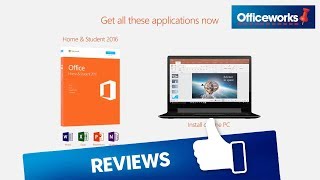
مايكروسوفت أوفيس هوم آند ستودنت 2016
تم تصميم Office 2016 لمساعدتك على الإنشاء
والتنظيم بشكل أسرع باستخدام ميزات توفير الوقت والمظهر الحديث الجديد وأدوات
التعاون المضمنة. بالإضافة إلى ذلك، يمكنك حفظ مستنداتك في السحاب على OneDrive والوصول إليها من أي مكان.
لا تحتاج إلى أن
تكون مستخدمًا قويًا لتسخير قوة Office 2016.
فالتطبيقات مليئة بالأدوات الذكية التي تجعل زيادة الإنتاجية إلى الحد الأقصى
أمرًا سهلاً.
لجهاز كمبيوتر
واحد يعمل بنظام Windows فقط
إصدارات مثبتة
بالكامل من Word
2016
وExcel 2016 وPowerPoint 2016 وOneNote 2016.
تعليمات الإعداد مُزودة في البريد الإلكتروني.
·
الحاسوب
والمُعالج: 1
gigahertz (Ghz) أو أسرع x86- or x64-bit processor with SSE2
·
الذاكرة: 1 جيجا رام (32-بت)، 2 جيجا رام (64-بت)
·
القرص
الصلب: 3.0
جيجا بايت مساحة مُتاحة
·
العرض: جودة 1024×768
·
الرسومات: يتطلب
تسريع أجهزة الرسومات بطاقة رسومات DirectX 10.
·
نظام
التشغيل: ويندوز 7 أو أحدث، ويندوز 10 سيفر،
ويندوز سيرفر 2012 ر2، ويندوز سيرفر 2008 ر2، ويندوز سيرفر 2012
·
خاصية
اللمس: يلزم وجود جهاز يعمل باللمس لاستخدام أي وظيفة متعددة اللمس. ومع
ذلك، تتوفر دائمًا جميع الميزات والوظائف باستخدام لوحة المفاتيح أو الماوس أو أي
جهاز إدخال قياسي أو يمكن الوصول إليه. لاحظ أنه تم تحسين ميزات اللمس الجديدة
للاستخدام مع نظام التشغيل Windows 8
أو الإصدارات الأحدث.
· متطلبات النظام الإضافية: الاستخدام غير التجاري | تتطلب خصائص الإنترنت اتصالاً بالإنترنت | يتطلب حساب مايكروسوفت.
This product key will bind to your Microsoft account for life and can be redownloaded multiple times to the same device.
NOTE: Before you install, it is very important to uninstall all previously installed Office versions. To do this, download Microsoft Support and Recovery Assistant, then follow the Microsoft Office uninstallation guide and select Option 2 – Completely uninstall office with the uninstall support tool. Note: Uninstalling Office won't remove your files, documents, or other user data.
1. To download and activate your Office key, please proceed to https://setup.office.com/ and select Sign in or create a new Microsoft account.

2. Once signed in, click Next, then enter the 25-digit product key we provided you, which you will find in your EF Dashboard, then proceed to My Orders.

3. Choose any region or language of your preference then click Next.

4. Confirm the account you're activating it on and the product by clicking Next, then Download Now.

5. At this point, Microsoft will add this product to your Account services and you will be redirected to https://account.microsoft.com/services. Click Install next to the product that you wish to install on the current PC you are using.

6. A window will open, click Install. You can click Other Options to choose between the 32 and 64-bit versions as well as to select your preferred language.
7. Download will begin. Once finished, click the downloaded file at the lower-left portion of your browser and then click Yes to allow the app to make changes to your device

8. Your Office is now installed. Click the Close button, then open any Microsoft Office application such as Word/Excel/Powerpoint. If you could not find the Office app or shortcut, please follow the instructions in Office App Icon/Shortcut is Missing

9. Click Sign In and associate your Microsoft account with software. It will keep your product up to date.

Congratulations! Your Office is now activated!

hannibal3
المستخدم
2 of 2 reviews loaded


Receive 100% genuine software keys, backed by our Flawless Activation guarantee for complete peace of mind.
Your software key is delivered directly to your email inbox within seconds of completing your purchase. No waiting.
Our dedicated support team is available around the clock via live chat and email to assist with installation and activation.
Our 30-day money-back guarantee ensures a fast refund or replacement if your key is faulty or incompatible.
The price you see is the final price you pay. No hidden service fees or surprise charges at the checkout.
Earn valuable points with every purchase and redeem them for real discounts on future software.
A proven track record with thousands of verified, positive reviews from real customers across the globe.

أفضل بائع
46.2K+ تم البيع
أفضل بائع
22.1K+ تم البيع

أفضل بائع
12.1K+ تم البيع
لماذا يحبنا عملاؤنا
تم تقييمه بشكل ممتاز
Saved a ton on Office 2021. Got my key immediately and it activated without a hitch. EF is the real deal!
by Verified Buyer
Bought a PS Plus membership, code in seconds. Had a minor issue, support resolved it fast. Very impressed!
by Verified Buyer
Doubted a deal this good, but a friend insisted. My Windows 10 Pro key arrived instantly and works perfectly.
by Verified Buyer
Bought Office 2021 at 2am and got my key immediately. I didn’t expect delivery at that hour. Outstanding!
by Verified Buyer
Overseas but still got my code instantly. Xbox Live Gold code redeemed with no region issues. Impressed!
by Verified Buyer
Got Windows 10 Pro & Office 2021 far cheaper than retail. Both keys arrived instantly and activated fine.
by Verified Buyer
Got a Steam game key cheap. Code came instantly, I was playing within minutes of purchase. Can’t beat that!
by Verified Buyer
Bought Windows 11 Pro dirt cheap. Key arrived instantly and activated without issues. Truly 100% legit!
by Verified Buyer
First purchase, was cautious. Fast delivery and legit PS Plus code won me over. I’ll be a repeat buyer.
by Verified Buyer
Bought an Amazon gift card at a discount. Code arrived in seconds and worked perfectly. A lifesaver!
by Verified Buyer
Bought an Xbox Game Pass code at an unbeatable price. Arrived in my email within seconds. Beyond satisfied!
by Verified Buyer
Windows 11 Pro key seemed too cheap. 80k+ reviews convinced me to try them. Code arrived instantly and worked.
by Verified Buyer
انضم لجيشنا للحصول على مميزات الأعضاء الحصرية

Convert coins into real savings at checkout!
Check Dashboard New here? اشترك & Track ProgressEarn EF Coins by completing tasks — build up your balance and turn them into wallet credit!

كن عضوًا في مجتمع إلكترونيك فرست

اشتر منتج

أضف لمسة شخصية لاسمك المستعار

أضف صورة شخصية

قم بإضافة منتج لقائمة التمني الخاصة بك

اطلب منتجًا قبل تاريخ إصداره

اشتر 10 منتجات

اشتر أكثر من 20 منتجًا

عضو لأكثر من 6 أشهر

عضو لأكثر من سنة

اكتب مُراجعة


مشاركة